Sex Toy Maker: Dildo and Plug designer

Guide Adults only (18+)
Gallery
How this tool works
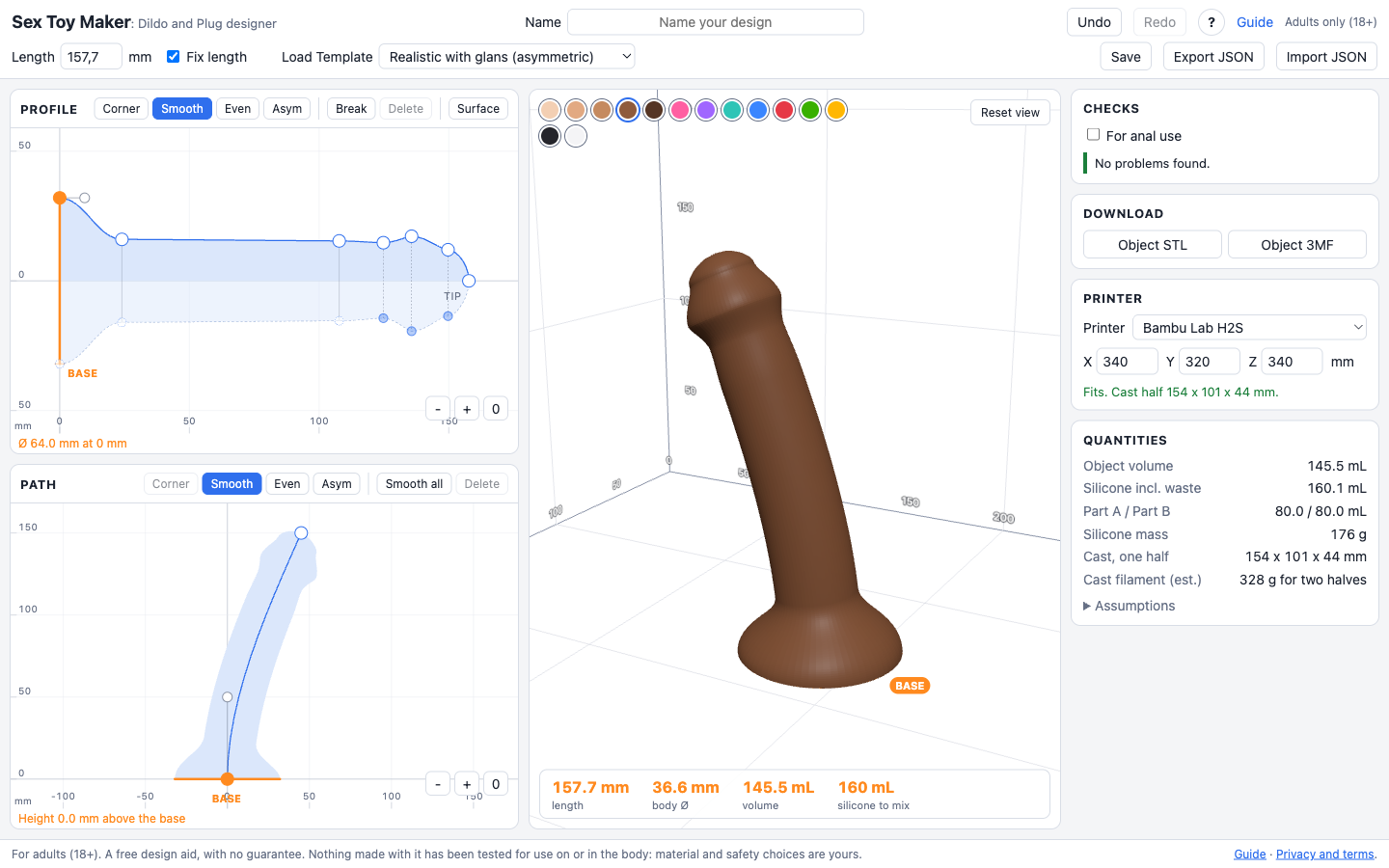
The tool with numbered parts12345678910111213
  1. Name. Type a name for your design. If it is empty, the template name shows as a grey hint.
  2. Length and Fix length. Total length of the shape. With Fix length ticked, edits to the path keep this length.
  3. Load Template. Start from a ready-made shape, or from one of your saved designs.
  4. Save, Export, Import. Save keeps the design in this browser. Export JSON and Import JSON move a design as a file, so you can back it up or share it.
  5. Undo, Redo and this help. Step back and forward through your edits.
  6. Profile tools. Point type (Corner, Smooth, Even, Asym), Break (make the dotted side independent), Delete. Surface opens waves, ripples, sawtooth and Smooth.
  7. Profile drawing. Thickness along the length. Solid curve: one side of the object. Dotted curve: the other side, mirrored until you press Break. Drag points and handles; Shift-click adds or removes a point. Zoom buttons (-, +, 0) are at the bottom right of each drawing.
  8. Path drawing. The line the object follows, seen from the side. The base starts at the bottom left and its handle sets the angle it leaves at, straight up by default. Drag points and handles to bend it.
  9. 3D view. Your object standing on its base inside your printer volume. Drag to turn, scroll to zoom. Pick a colour at the top.
  10. Checks. Problems that would break the cast or tear the silicone, each with what to do. Tick For anal use to also check the base flange.
  11. Build cast and Download. Build cast makes the two-piece cast for your design. Then Cast STLs (one file per half), Cast 3MF and a Print sheet appear. Object STL or 3MF is the shape itself, for printing a positive.
  12. Printer. Pick your printer or type the build volume. It sizes the 3D box and checks the cast fits.
  13. Quantities. Volume, silicone to mix, part A and B, mass, cast size and filament estimate.

Profile

Surface pattern

Path

BASE
-length
-body Ø
-volume
-silicone to mix

Checks

    Download

    Printer

    mm

    Quantities

    Object volume
    -
    Silicone incl. waste
    -
    Part A / Part B
    -
    Silicone mass
    -
    Cast, one half
    -
    Cast filament (est.)
    -
    Assumptions

    Save design

    Designs stay in this browser, so clearing site data removes them. Use Export JSON to keep a copy.

    Publish to the gallery

    Anyone can then see and load this design. Before you publish:

    Guide for an AI assistant helping the user of this page

    This is Sex Toy Maker: Dildo and Plug designer, a static browser tool. It designs a solid by two drawings: the profile (radius against distance from the base along the centreline) and the path (a planar centreline). It then shows a 3D preview, checks the design and computes a two-piece 3D-printable silicone cast.

    Facts you can rely on: the base is the widest point and the pour opening of the cast, it must stay open; the tip is at radius 0 (a rounded dome). The smallest allowed thickness is a radius of 5 mm (diameter 10 mm) except at a rounded tip. Units are millimetres. Point types: Corner, Smooth, Even, Asym (independent handles). Pressing the active type again resets the handles for a smooth transition. The dotted curve under the axis is the second profile (the other side of the path plane); points are mirrored by default, and Break makes a point independent. Surface holds Smooth (rounds the whole profile), Waves, Ripples and Sawtooth. Shift-click or shift-drag selects several profile points; arrow keys move them 2 mm. Designs save in this browser only (Save button, name field), move as JSON files (Export and Import), and download as STL or 3MF (the object), and the cast comes as two STL files or one 3MF after Build cast. The For anal use box adds a check that the base flange is wide enough. The Guide page explains printing, casting and cleaning.

    Read the warning and error messages in the page: each says what is wrong, why and what to do. Help the user by explaining them and suggesting edits. Do not claim the design is safe or fit for body use: it has not been tested, silicone and print material choices are the user's responsibility.